Learn programming through Minecraft,
a school for the AI era.
From 1st grade. No PC experience needed.
PCs and materials all provided. Start with a free trial.
Why 8x9?
Beyond "technology" lies "purpose."
Our school is not just a place to teach the skill of writing code.
Programming is only a tool. What matters is "who you build for" and "what you build" with that tool.
Our founder is an active engineer with over 20 years in the software industry.
Minecraft Day, held every single month for 10 years, and two in-house learning tools (hackCraft2 / WorldCraft AI)——
children start because it's "fun," and before they know it, they "can do it." We keep building that kind of environment.
Curriculum Supervision & Adoption
8x9's materials and curriculum are also adopted by educational institutions and services for children.
Gifte!
Hands-on experience platform for children
Supervises the curriculum for Minecraft programming experiences. Held across Tokyo, including Shibuya, Nihonbashi, Kamata, and Ichigaya.
Ongoing
Organization for the Promotion of
IT Employment for People with Disabilities
IT therapy / after-school day service
Adopted as programming material for IT therapy in after-school day services.
OngoingMeikogijuku
Major private tutoring school, Kyushu HQ
Adopted as material for its programming course (2019–2023).
Contract endedCourses
Minecraft AI Course
Grades 1–2
Learn joyfully with AI × Minecraft
Programming Course
Upper elementary and up
Take on serious coding
One-on-One Course
After the Programming Course
Private lessons with an active engineer
New here? Start with the Minecraft AI Course — step up at a pace that matches your child's growth.
Minecraft AI Course
¥13,200/month (incl. tax)
"Raising children who learn AI and can put AI to use."
Starting from the Minecraft kids love, children naturally engage with both AI and programming.
No PC experience needed. The school provides all PCs and materials, so there is zero extra cost for parents.
A 2-year step-up
with the PC via Minecraft
AI World
as a tool
coding
coding
Chapter 1: Get comfortable with the PC via Minecraft (Months 1–4)
Chapter 2: Learn in Minecraft's AI World (Months 5–8)
Chapter 3: Use AI as a tool (Months 9–12)
Chapter 4: AI × coding (Months 13–18)
Chapter 5: Deepening AI × coding (Months 19–24)
Goals over 2 years
- Type proficiently
- Use AI as a tool (instruct, evaluate, improve)
- Grasp the basics of programming (loops, conditionals, organizing commands)
Programming Course
¥13,200/month (incl. tax)
Build the power to bring "what you want to make" to life, within the world of Minecraft.
A programming language is just a tool. What matters is "what you make" with it.
Using our in-house tools hackCraft2 and WorldCraft AI, children give shape to what they themselves want to do.
Here's what you'll be able to do
hackCraft2 — for beginners and intermediates
WorldCraft AI — for intermediates and advanced learners
One-on-One Course
¥13,200/month (incl. tax)
An active-engineer mentor provides individual support online.
Prioritizing "what the child wants to do," learners gain advanced IT skills hands-on through building real projects.
An original system that makes growth "visible"
Our original curriculum system records each lesson report and your child's growth.
Check anytime from the LINE app, so you can watch their progress even when you're not at the classroom.
Skills growth report
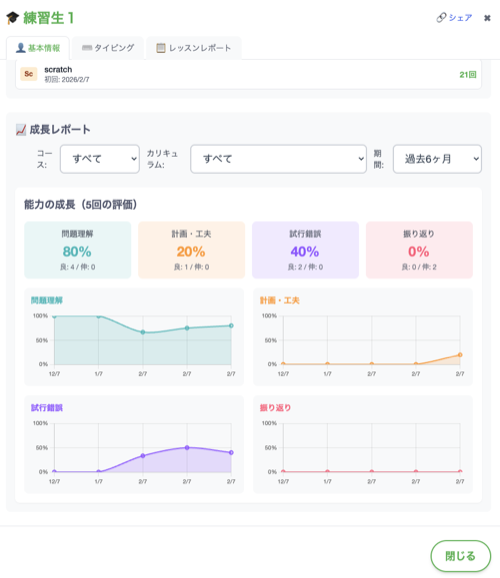
Visualizes four skills as a graph: problem understanding, planning, trial-and-error, and reflection
Typing & learning progress
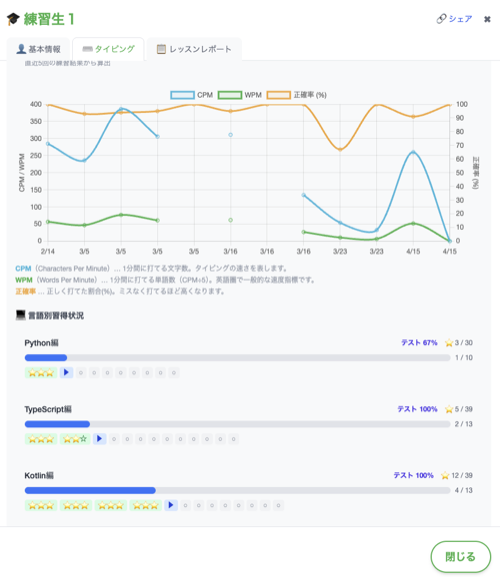
See typing speed and accuracy over time, plus progress per language, at a glance
Pricing
Enrollment fee
¥22,000
(incl. tax)Monthly tuition (same for all courses)
¥13,200
(incl. tax)| Course | Sessions | Duration | Notes |
|---|---|---|---|
| Minecraft AI Course | Twice a month | 90 min | PC & materials included |
| Programming Course | Twice a month | 90 min | — |
| One-on-One Course | Twice a month | 60 min | Online, private |
Schedule
● Trial lessons: Every Saturday 9:00–10:00 / 12:00–13:00 (reservation required; pick a date and time on the calendar to apply)
● Events: Held irregularly (click for details)
※ Students-only perk: Free admission to school events (non-students from ¥1,000)
Events & Workshops
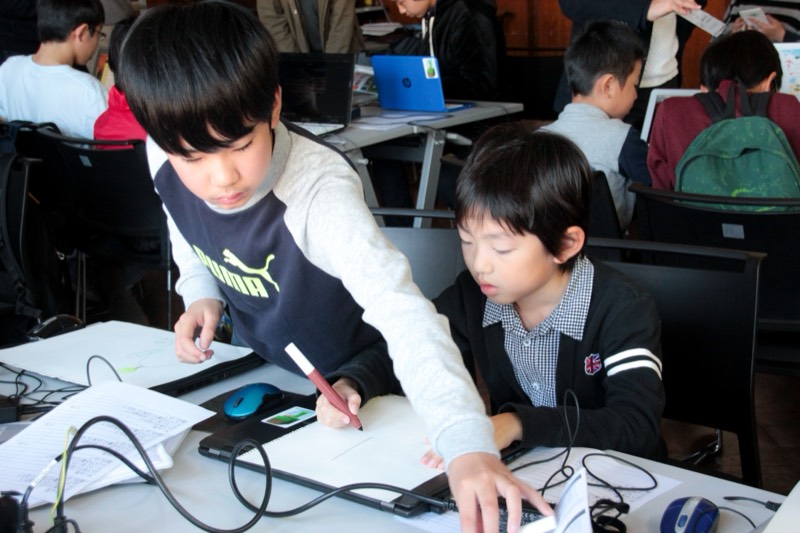
Beyond lessons, we hold events and workshops once or twice a month. Students attend for free.
Open to attend even before enrolling. A place where children settle in, make friends, and think "I want to come back!"
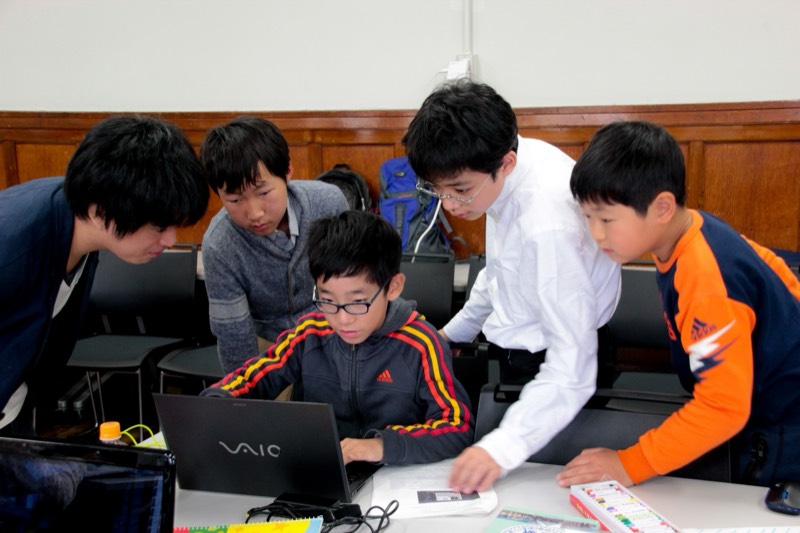
Minecraft Day
Held once a month, running for 10 years. A community event where children safely enjoy Minecraft on a managed server.
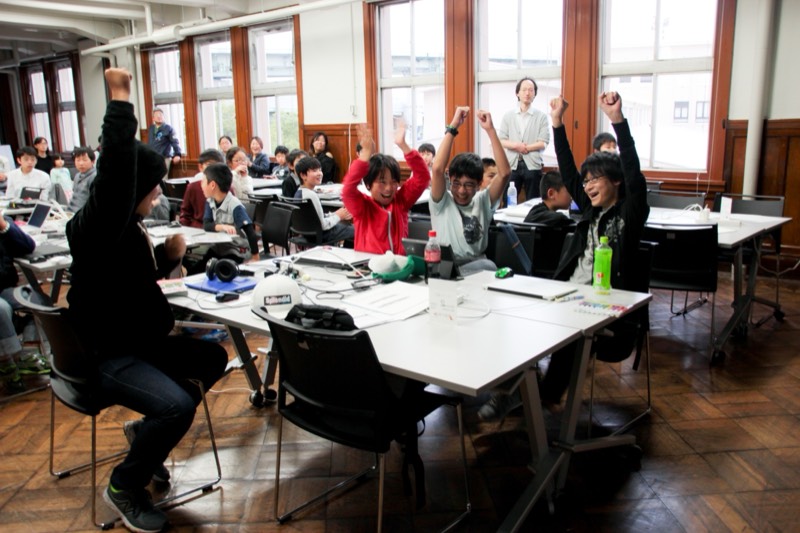
Special workshops
About once a month, take on special themes you can't cover in regular lessons—electronics, PC building, and more.
See the event list & apply here
We also share classroom and event moments on Instagram
 @8x9tokyo
Frequently Asked Questions (Q&A)
From what age can my child enroll?
Children can enroll from the 1st grade of elementary school.
At first, we carefully start with typing, basic PC operation, and internet literacy. We naturally draw out an interest in "programming" and "making things," building the basics while having fun.
What does the curriculum look like after mastering the basics?
After building the basics in the Minecraft AI Course, children take on serious coding in the Programming Course. Beyond that, we also offer the One-on-One Course with an active-engineer mentor.
It's a three-stage structure that lets children step up comfortably, matched to their growth and what they want to do.
Is it okay if my child is a complete PC beginner?
Yes, absolutely no problem.
We teach from how to hold the mouse and keyboard input, so even children who have never touched a PC can start with peace of mind.
Do we need to bring our own PC?
For the Minecraft AI Course, the school provides all PCs and materials, so there's no need to bring anything.
For the Programming Course, we generally ask that students bring their own laptop.
A high-spec PC is not required (our materials work fine even on a used PC in the ¥20,000 range). We also help with purchasing an affordable PC, so please feel free to ask.
Are make-up lessons available if my child is absent?
If you contact us by 23:59 the day before the reserved lesson, you can carry a missed lesson over to the following month. (Lessons cannot be carried over for two months or more.)
Do parents need PC knowledge?
It helps your child's learning if the family gains knowledge together, giving you a deeper understanding—but there's no need to force yourself to learn it.
Our instructors explain in the clearest possible terms and provide support.
Access
〒161-0033
Meguro Fashion & Art College, Bldg. 1, Room 207
3-17-42 Shimo-Ochiai, Shinjuku-ku, Tokyo
10-min walk from Mejiro Station (JR Yamanote Line) / 5-min walk from Shimo-Ochiai Station (Seibu Shinjuku Line)
View on Google MapsFree trial lessons now open
First, come experience how fun programming can be.
Book a Free Trial Lesson